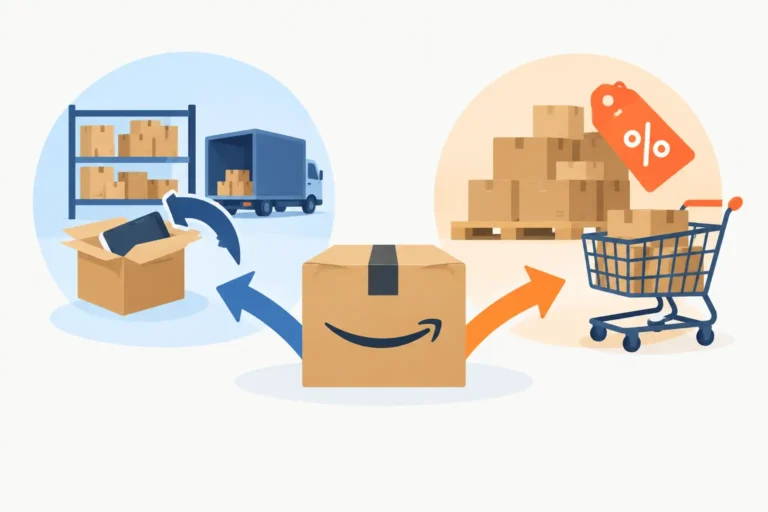
A Shopify launch can look healthy at 3% conversion and still fail on Amazon in week 1. Amazon shoppers are not arriving to admire your brand story. They compare price, Prime delivery, review count, image clarity, and relevance in a few seconds. To launch Shopify products on Amazon without donating high-intent clicks to category leaders, treat Amazon as a separate retail channel with its own search, margin, compliance, and stock rules.
The job is not to copy a Shopify product page into Seller Central. The job is to map where demand already exists, redirect it to an offer that can convert, and defend the ASIN once it starts ranking.
Map the product before you launch Shopify products on Amazon
Start with the commercial math, not the listing. For each SKU, calculate the Amazon selling price less referral fee, FBA fulfillment fee or FBM shipping cost, inbound freight, duty, prep, returns allowance, promotional funding, and ad spend. A product that produces a 65% gross margin on Shopify can be underwater after a 15% referral fee, dimensional-weight fulfillment, and a 20% TACoS at launch.
Build this calculation at child-ASIN level. A 200 ml skincare SKU, a 50 ml travel size, and a two-pack can sit under one variation family but carry very different fee and conversion profiles. In Seller Central, check the fee estimate in Revenue Calculator before you create the offer, then compare it with the actual fees in Reports > Payments > Date Range Reports after the first settlement closes.
Next, establish whether Amazon demand matches your Shopify demand. Brand Registry sellers should use Brand Analytics > Search Query Performance and select the weekly view. The report provides Search Query Volume, Search Query Score, Click Share, and Purchase Share. If a query drives Shopify traffic but has weak Amazon volume, do not force a PPC budget behind it. If it has material volume and the first-page ASINs have 1,000 reviews, a $5 launch coupon alone will not take the clicks.
Use the report to identify three groups: category queries, problem-solution queries, and competitor-brand queries. A vitamin C serum brand may find that “vitamin c serum” is expensive and crowded, while “serum for dark spots” has more usable purchase intent. Your first 30 days need a defensible entry point, not a heroic attempt to own every head term.
Confirm that the catalog structure is right
Create a new ASIN only when the product is genuinely distinct. If the identical item already exists under another ASIN, creating a duplicate can trigger a merge, suppression, or a catalog dispute that stops the launch cold. Use the Seller Central search bar, competitor UPC searches, and the Add Products workflow before submitting a new listing.
For new products, verify the GTIN before upload. Amazon’s “External Product ID” field must match the GS1-issued UPC or EAN assigned to that exact sellable unit. A bottle and its multipack are not the same GTIN. Brand Registry may allow a GTIN exemption in some categories, but exemption approval does not make a mismatched variation legitimate.
Parent-child relationships need the right theme. “SizeName” and “ColorName” are valid variation concepts where the category template permits them; “Scent” may be valid in beauty, while pack count often belongs in “ItemPackageQuantity” rather than a cosmetic variation. A broken variation can split reviews, bury the preferred child, and send sponsored traffic to an unavailable option.
Build an Amazon offer, not a Shopify copy-and-paste
Amazon changed product-title requirements on January 21, 2025. Most titles are limited to 200 characters, cannot use certain special characters, and cannot repeat the same word more than twice, except for prepositions, articles, and conjunctions. The exact category style guide still matters, so check the template and the “Product title requirements” notice in Seller Central rather than recycling a 250-character Shopify title.
The fields that decide whether a shopper understands the offer are not interchangeable. “Item Name” is the customer-facing title. “Brand Name” should match your trademark and packaging. “Key Product Features” supplies the bullet points. “Product Description” is supporting copy, while “Search Terms” is backend indexing space. Do not paste competitor names, subjective claims such as “best,” or repeated title text into Search Terms. Amazon can suppress the detail page or ignore the field.
Your first seven images should remove a buying objection in sequence: main image, product scale, core benefit, use case, ingredient or material proof, comparison or pack detail, and instructions. The main image must comply with the category image rules, usually using a pure white background and showing the product clearly. Put lifestyle images and explanation in secondary slots, not in slot 1.
For beauty, wellness, and ingestible products, claims are where ambitious launches become expensive corrections. “Clinically proven,” “treats acne,” and disease claims require evidence and can draw compliance review. In the US, cosmetic claims, supplement labeling, and drug claims sit under different FDA rules. In the EU and Northern Ireland, GPSR has applied since December 13, 2024, increasing the importance of traceability, responsible-person details, and product safety information. Match the label, listing, and substantiation before inventory reaches FBA.
Redirect demand with a controlled first 30 days
A launch needs inventory depth. Stocking 20 units into FBA may create a brief sales spike, but a stockout can erase sales history and hand placement back to the competitor you displaced. In Seller Central, review Inventory > Manage All Inventory for available units and stranded inventory, then check the Inventory Dashboard for inbound delays and sell-through signals.
Do not launch every SKU at once. Pick one hero child ASIN with a clear margin, enough FBA coverage, and an offer that is easy to explain in one image. A two-pack may improve contribution margin, but a single unit can convert better when shoppers are testing an unfamiliar brand. Test the pack architecture deliberately instead of assuming Shopify’s best seller will be Amazon’s best seller.
Price is part of conversion, but it is not merely a race downward. Compare your landed Amazon price against the first-page alternatives after fees, coupon badges, Subscribe & Save discounts, and delivery promise. If your Shopify site is running a 25% email promotion while Amazon sits at full price, shoppers will find the gap. Set a channel policy before Amazon shoppers do the comparison for you.
For the first 2 to 4 weeks, measure conversion in Reports > Business Reports > Detail Page Sales and Traffic by Child Item. Watch Sessions, Unit Session Percentage, Ordered Product Sales, and Units Ordered. If Sessions rise but Unit Session Percentage stalls below the relevant competitive set, the problem is usually offer clarity, price, reviews, delivery, or the wrong search term – not simply insufficient traffic.
Sponsored Products can test search-term relevance, but do not use advertising to conceal a broken listing. Separate exact-match terms from broader discovery terms so the search-term report can tell you what actually converts. Judge paid efficiency with ACoS, but judge the channel with TACoS: ad spend divided by total attributed and organic sales over the same period. A low ACoS can still be poor growth if organic sales do not move.
Defend the visibility you earn
Once the ASIN gains traction, the risks become operational. Check the Account Health dashboard at least weekly for policy violations, listing violations, and shipping performance if you operate FBM. Check Manage Inventory for suppressed listings. A suppressed child can leave the parent live but remove the variation shoppers wanted, which is a quiet way to waste a week of PPC spend.
Enroll eligible trademarks in Brand Registry before the launch, then use the Brand Dashboard to monitor suspected infringement and inaccurate contributions. Brand control is not paranoia when unauthorized sellers can change the Buy Box, price below your planned floor, or turn a carefully built launch into a listing-quality cleanup.
Every Monday, export the prior week from Search Query Performance and Detail Page Sales and Traffic by Child Item. Put five numbers beside each hero ASIN: available FBA units, Sessions, Unit Session Percentage, ACoS, and TACoS. If available stock falls below the lead time required for your next inbound shipment, reorder before the ASIN goes dark. Ranking does not care that the purchase order was approved.
This week, choose one Shopify best seller and run the fee calculation at child-ASIN level. Then open its prospective Amazon search results, identify the top 10 competing offers, and write down their price, review count, pack size, delivery promise, and first-image message. That is the map. Only after it is honest should you spend the first dollar trying to redirect demand.
Want a second pair of seller's eyes on your listings?
We are active Amazon sellers ourselves, not only consultants. See how we handle this in full Amazon account management, send us one ASIN for a free brand-control audit, or book a 30-minute strategy call.
Free tools: title rewriter · main image checker · EU compliance checker · AI tag · Stolen from the Giants swipe file