Amazon backend keywords are the search terms you add in Seller Central that customers never see, but Amazon’s algorithm reads closely to match your listing to more searches. Get the byte limit right, and you pick up traffic your title and bullets can’t cover. Get it wrong, and the field goes quiet, not throttled, ignored entirely.
If you’ve already spent hours polishing your title, bullet points, and A+ content, backend keywords are probably the last box you checked. That’s worth revisiting. Most sellers assume the field still works the way it did two or three years ago. It doesn’t. The byte limit most sellers quote is outdated or simply guessed, and getting it wrong doesn’t cost you a few keywords, it can zero out the entire field.
What Are Amazon Backend Keywords
Amazon backend keywords, also called Search Terms or generic keywords, are words and phrases added to a listing that customers never see on the product page. Unlike your title or bullet points, they exist purely for the algorithm. In Seller Central, this same field is sometimes labeled Amazon generic keywords instead of Search Terms, which adds to the confusion when sellers compare notes across forums and tools.

How Amazon Uses Backend Keywords for Indexing
Amazon uses information across your listing and search-term fields to determine relevance and search visibility. Backend search terms add synonyms, alternate names, and spelling variations that aren’t already covered elsewhere in the listing, the phrases that would look awkward stuffed into customer-facing copy. If your listing isn’t appearing for a relevant search term, checking whether it’s covered in your listing content and backend search terms is one of the fastest parts of a broader indexing audit.
Where to Find Backend Keywords in Seller Central
Log in to Seller Central, open Inventory > Manage Inventory, click Edit on the listing, and go to the Keywords tab. That’s where the field lives, usually labeled Search Terms or Generic Keywords, depending on your category. Paste your keyword string into the field and save. For many listings at once, use a category flat file and fill in the generic keywords column instead of editing each listing by hand.
If you’re not sure your titles, bullets, and backend keywords are pulling in the same direction, a Building Professional Listing audit is usually the fastest way to find the gap.
The Amazon Backend Keyword Byte Limit
The byte limit is the single most important number for Amazon backend keywords, and it’s also the number sellers get wrong most often.
| Marketplace | Search Terms Limit |
| US / UK / EU | 249 bytes |
| Japan | 500 bytes |
| India | 200 bytes |
“EU” here is shorthand for Amazon’s European marketplaces generally (Germany, France, Italy, Spain, and others), not a single combined limit.
Is the Limit 250 or 249 Bytes?
Amazon staff have confirmed on the Seller Central forum that the enforced limit for Generic Keywords is 249 bytes, not the rounder “250” figure most sellers quote. Leave yourself at least one byte of buffer. Amazon typically frames this as “less than 250 bytes” rather than a flat 250, which is why 249 is the number to build to.
Bytes vs Characters
A byte is not always a character. Standard English letters and numbers are 1 byte each, but accented characters like é or ü, and non-Latin scripts, can cost 2 to 4 bytes per character. A German phrase built for a Germany-focused listing can look short on screen and still push you over the limit. As a rough rule, non-ASCII characters often use more than one byte, always verify the final UTF-8 byte count rather than estimating.
How to Check Your Byte Count
This is the question we get asked most on this topic, and it’s the reason most sellers get it wrong: Word and Seller Central both show characters, not bytes, so a string that looks fine can still be over the limit. Three ways to check it correctly:
- Paste your string into a free byte counter tool built for Amazon (search “Amazon backend keyword byte counter”) before saving.
- If you’re comfortable with a spreadsheet or code editor, LEN() counts characters, not bytes, for an exact count, run the string through a UTF-8 byte length function (in Python: len(text.encode(‘utf-8’))).
- If you sell into a non-English marketplace, assume accented letters will cost extra bytes and budget accordingly, then verify with a counter before saving.
Amazon’s own guidance on this limit is blunt: keep the combined search-term content within the byte limit, or the whole entry gets rejected. Amazon doesn’t flag this while you’re typing, so the risk is on you, verify the byte count before saving, every time.
How to Format Backend Search Terms
Write your backend keywords as one continuous string, separated only by single spaces. Don’t write “running shoes, trainers, sneakers.” Write “running shoes trainers sneakers.” Commas and other punctuation are regular characters that cost a byte each for zero benefit, and Amazon doesn’t use them as separators anyway.
A few other formatting rules:
- No filler words: skip “a,” “an,” “for,” “with,” “the.” They cost bytes and add nothing.
- No duplicate word forms: if you’ve added “shoe,” you don’t need “shoes” too. Amazon’s algorithm matches both automatically.
- Lowercase is fine: capitalization doesn’t affect indexing.
- No brand names or ASINs: your own or a competitor’s. Neither belongs in this field.
What Gets Indexed and What Doesn’t
Knowing what Amazon actually reads in this field saves you from wasting bytes.
Indexed: every term in the field, as long as the full string stays within the byte limit. That includes synonyms, alternate names, regional spellings, and use-case phrases. Singular and plural forms are matched automatically, and capitalization doesn’t matter.
Not indexed, or no added benefit:
- The entire field, if it goes even one byte over the limit
- Punctuation such as commas (it costs bytes and isn’t used as a separator)
- Filler words like “a,” “the,” and “for”
- Words already in your title or bullets (already indexed, so repeating them adds nothing)
- Brand names, ASINs, and subjective claims like “best” (these don’t belong in the field)
Backend Keywords vs Browse Nodes
These two get confused constantly, and they do different jobs. Backend search terms are the free-text field covered above, synonyms and phrases the algorithm matches against searches. Browse nodes are Amazon’s category and subcategory classification for your product, structured data, not free text, and they affect where shoppers find your listing through category navigation and browse filters, a different purpose from search-term relevance.
A listing can have perfect backend keywords and still be hard to find if it’s sitting in the wrong browse node, customers filtering by category or using left-hand navigation won’t see it there. Fixing browse nodes doesn’t recover a backend field that’s over the byte limit either; the two fixes are independent and a full indexing audit checks both. Browse nodes are assigned through Amazon’s category classification tools and category-specific flat-file templates; Browse Tree Guides (available per category in Seller Central) help identify the correct node. Use Seller Central’s listing and classification tools to verify your current browse-node assignment rather than guessing. Worth reviewing at the same 1-3 month cadence as your search terms, especially after any Amazon category restructuring.
Backend Keyword Opportunities Sellers Miss
Most sellers fill this field with a handful of obvious synonyms and stop. That leaves real search traffic on the table.
Synonyms and Regional Spelling Variants
List the different words customers actually type for your product, not just the one you use. Selling running shoes? Add “trainers,” “sneakers,” “athletic shoes.” Selling into the UK or EU? Add the regional spelling too, “colour” next to “color.” These terms don’t fit in a title, but they take zero effort to add to the backend, and they catch searches you’d otherwise lose.
Use-Case and Seasonal Terms
Add words that describe how or when a customer uses the product:
- Use-case examples: “travel yoga mat,” “home workout mat,” “beginner yoga gear”
- Seasonal examples: “Valentine’s Day gift,” “back-to-school backpack,” “summer picnic blanket”
A backend string set once at launch and never touched again won’t catch a demand spike that starts six months later. To find terms like this fast, run a reverse-ASIN check with a third-party tool (like the ones below) on your top competitor’s listing and see which of their ranking terms you haven’t added yet.
Long-Tail Phrases
Long-tail terms are longer and more specific, usually with less competition and buyers who know exactly what they want, phrases like “waterproof hiking backpack for travel” or “lightweight gym bag.” These are what real shoppers type, and they’re easy to slot into the remaining byte budget once your core synonyms are covered.
Tools to Find Backend Keywords
Don’t guess keywords, use tools that provide keyword and competitor data, such as search-volume estimates and ranking information.
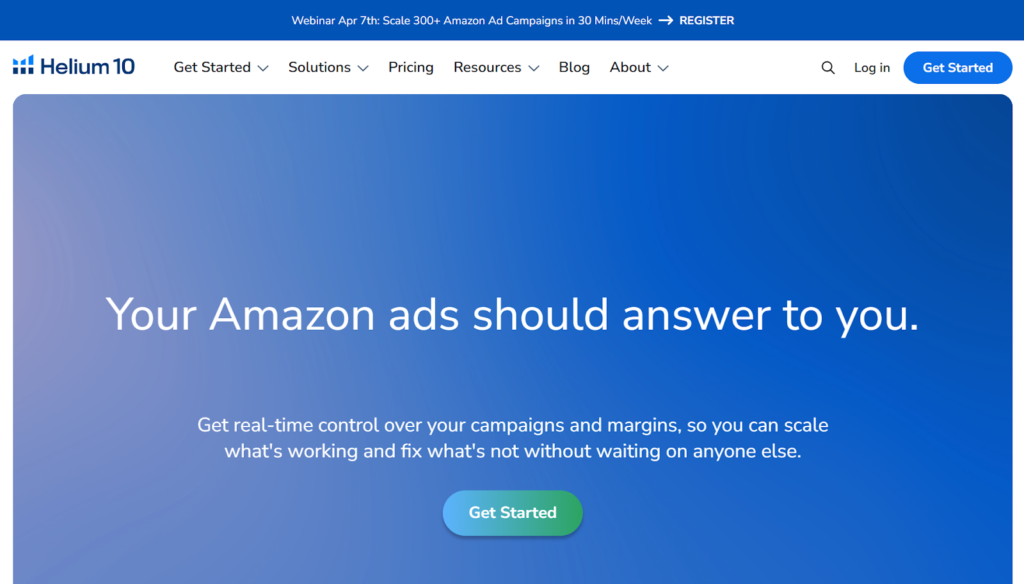
- Helium 10 is strong for deep keyword analysis. Enter a competitor’s ASIN in Cerebro and see the keywords their listing ranks for.
- Jungle Scout gives a quick, clear view of search volume and keyword competition.
- MerchantWords focuses on search term data, useful for expanding your list and finding long-tail variations.
A simple approach: pull the top 3-5 competing listings, collect their ranking keywords, then keep only the ones that don’t already appear in your title or bullet points. Those are your backend candidates.
Real Example: Renora Cosmetics
When we rebuilt Renora Cosmetics’ Amazon presence, the backend search terms were rebuilt together with the titles, bullets, images, and A+ content, the starting point was weak titles with almost no keywords and almost no organic rankings. Within 90 days the brand reached page-one rankings for its core keywords and sales grew 1000%.
Backend Keyword Audit Checklist
- Confirm your string is under 249 bytes using a byte counter, not a character count
- Remove redundant keywords already covered by your title, brand, bullets, or other listing attributes
- Add regional spelling variants if you sell into the UK or EU
- Add 2-3 seasonal or use-case terms relevant to your product
- Remove competitor brand names, trademarks, and subjective claims
- Separate every term with a single space, no commas or punctuation
- Confirm your browse node classification is still accurate for the product
Using Search Query Performance and Brand Analytics
For eligible brands, Search Query Performance and Brand Analytics provide first-party Amazon data on customer search behavior. Use those reports to identify relevant queries and gaps instead of relying entirely on keyword-tool estimates. If more customers search “eco-friendly water bottle” than “BPA-free bottle,” that’s a signal to add the underused phrase to your backend keywords rather than guessing.
How Often to Audit Backend Keywords
Your visible copy might stay stable for months, but backend terms should be reviewed more often. Most sellers should audit every 1-3 months, and competitive categories may justify a monthly check, especially around seasonal peaks.
Jungle Scout is simpler to use. It works well when you want a quick look at search volume and keyword competition. The tool gives a clear overview of which keywords people search the most and which ones are trending.
MerchantWords focuses heavily on search term data. If you want to expand your keyword list, discover variations, or find long-tail keywords that shoppers actually type on Amazon, this tool is very helpful.
The way I usually approach this is simple: analyze the top 3-5 competing listings, collect their relevant keywords, then pick the ones that don’t already appear in your title or bullet points. Those are perfect candidates for backend keywords. That’s where the real value usually is.
Backend terms are free indexing space that most catalogues waste. They are one part of our Amazon listing optimization work.
Conclusion
If your backend keywords haven’t been touched since launch, that’s worth a second look, especially if your listing is targeting UK or EU shoppers, where regional spelling and byte limits both come into play, or if you’ve never checked whether your browse node is still correct. Book a free consultation, and we’ll audit your listing’s backend field, browse nodes, title, bullets, and images together.
1. What Is the Byte Limit for Amazon Backend Keywords in 2026?
Amazon backend keywords for the US, UK, and EU marketplaces are capped at 249-250 bytes. Japan allows 500 bytes and India allows 200 bytes. Going over the limit by even one byte can cause Amazon to ignore the entire field.
2. Are Backend Keywords Still Important for Amazon SEO?
Yes. Backend keywords help Amazon match your listing to searches that aren’t covered by your visible title, bullets, or description. They remain one of the simplest, highest-leverage fields sellers under-optimize.
3. Should I Include Misspellings in My Backend Keywords?
Common regional or niche misspellings can still help, though Amazon’s fuzzy-match technology now catches many obvious typos automatically. Prioritize synonyms and use-case terms first, then add misspellings only if they have real search volume.
4. Can I Repeat Title or Bullet Keywords in the Backend?
No. Amazon already indexes your title, bullet points, and description, so repeating those words in the backend wastes limited byte space without adding any ranking benefit.
5. How Often Should I Audit Backend Keywords?
Most sellers should review their backend keywords every 1–3 months. Competitive or highly seasonal categories often benefit from a monthly check, particularly ahead of predictable demand spikes.
6. What’s the Difference Between Backend Keywords and Frontend Keywords?
Frontend keywords appear in your title, bullet points, and description, where customers read them. Backend keywords are invisible to shoppers and exist only to help Amazon’s algorithm index your product for additional search terms.
Your title, against the 75-character cap.
Paste it in and get the rewritten title plus the 125-character Item Highlights string that carries everything which would not fit. Free, no sign-up.
Rewrite my title →