
Most US sellers localize Amazon listings for Europe by translating the English copy into German or French and hitting publish. That’s the root cause behind most failed EU launches, translation swaps the words, but it doesn’t touch the keywords, the framing, or the format the listing depends on. The result shows up fast: a product that sells well in the US suddenly looks unwanted the moment it goes live in Germany, and nobody on the team can explain why.
The real cause is almost always the listing itself, not the product. Title, bullets, and backend fields get translated instead of rebuilt, even when the brand has strong US reviews and a proven Amazon.com track record. This playbook is for US brand owners and operations leads moving into Germany, France, Italy, Spain, or the UK who want to localize Amazon listings for Europe properly, what to translate, what to rebuild from scratch, and where most sellers cut corners.
Translation vs Localization: Why the Difference Decides Your EU Launch
Nearly three-quarters of European shoppers say they’re more likely to buy when product information appears in their own language rather than a translated approximation of English copy (Statista, 2020), which is exactly why the gap between translation and localization decides whether your EU launch converts or stalls. Here’s what separates the two in practice.
What Translation Actually Covers
Translation swaps words from one language to another and keeps everything else the same: same keyword targets, same sentence structure, same cultural references. It’s necessary. It’s also the smallest part of the job. A German listing built purely on translated English keywords will miss how German shoppers actually search, because Amazon’s algorithm in each marketplace ranks against local query behavior, not translated intent.
What Localization Adds On Top
Localization rebuilds the listing around the target market: local keyword research instead of translated English terms, currency and unit formatting, culturally adjusted benefit framing, and images or A+ Content built for local expectations. Brands that only translate typically see their EU listings underperform their US benchmark, not because the product is wrong for the market, but because the listing was never actually built for it. If you’re still deciding which EU marketplace to prioritize before you localize Amazon listings for Europe, that choice shapes which language and market nuances to solve for first.
This is the distinction that separates Amazon listing translation from real Amazon listing localization, and it’s worth being precise about it before you spend money on either. A translation vendor delivers accurate words. A localization process delivers a listing built to convert in that specific marketplace, different keywords, different framing, different formatting, which is a different deliverable and usually a different price.
How to Localize Amazon Listings for Europe
Once you’ve accepted that this takes more than translation, here’s the actual sequence to localize Amazon listings for Europe that works in practice, from keyword research through backend fields. Skip a step and the listing looks finished but performs like a rough draft.
Start with Local Keyword Research, Not a Dictionary
Before touching a single line of copy, run keyword research in the target language and marketplace, not a translated version of your US keyword list.
A professionally built listing starts here: local shoppers use different terms, different compound words, and different search patterns than a literal translation predicts. Amazon’s own search term data for each marketplace, plus local-language keyword tools, shows what people actually type, which is often nothing like what a translator would guess.
This step is also where most budgets get misallocated. Sellers spend on a polished translation and skip the keyword research entirely, which means the polished copy targets terms almost nobody in that marketplace actually searches. Local keyword research should happen before a single word of the new listing gets written, not after.
Rewrite Titles and Bullet Points for Local Buyers
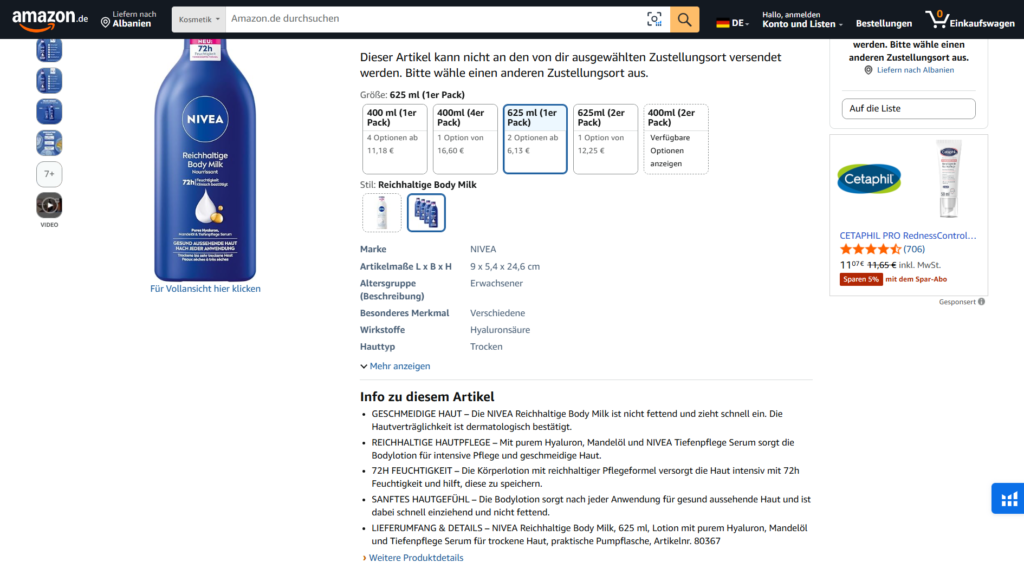
Once you have real local keywords, rewrite the title and bullet points around them instead of dropping translated English copy into the new fields. Lead with the benefit that matters most to that market’s shopper, not the one that converts best in the US. Character and byte limits also vary by marketplace and language, so a title that fits cleanly in English can get truncated in German or French if you don’t check the limit before publishing.
Localize A+ Content and Images
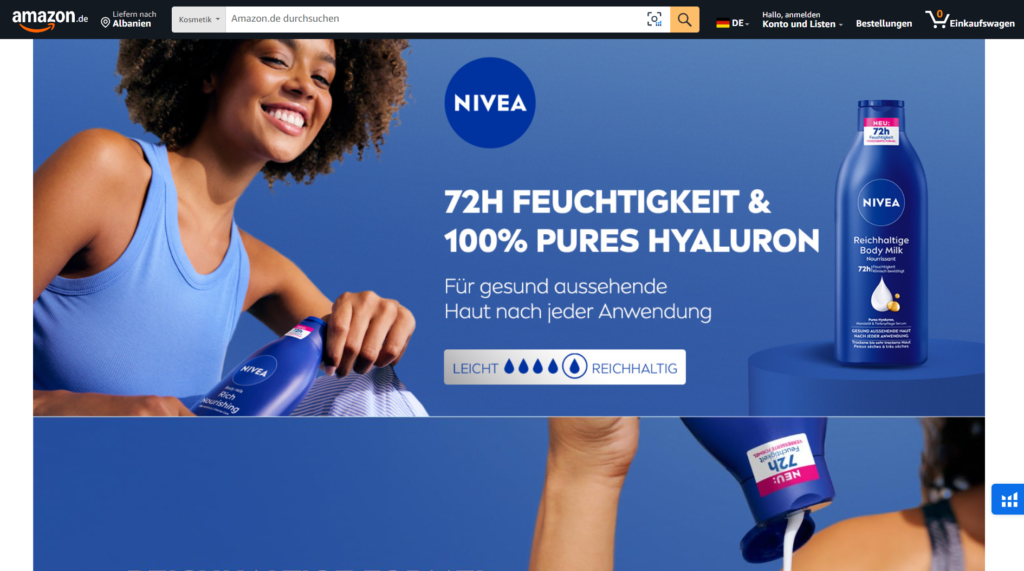
Text isn’t the only thing that needs work. A+ Content modules, infographics, and lifestyle images should reflect local packaging, visible certifications, and cultural context, a US kitchen scene doesn’t automatically read as “home” to a German or French shopper. Amazon’s Country-Specific Upload feature lets you show different images per marketplace without building separate listings, so use it instead of forcing one image set across every store.
Translate Backend Search Terms Correctly
Backend search terms need the same local-language treatment as your visible copy, and they’re the field sellers skip most often. Byte limits differ by language, so a backend keyword list that fits cleanly in English can get silently cut off once translated into German or French, leaving indexed terms invisible to Amazon’s algorithm. Check byte count, not character count, before finalizing this field for each marketplace.
Adjust Units, Currency, and Formatting
Small formatting details signal trust. Convert measurements to metric, prices to local currency with VAT-inclusive display, and dates to the local format. A listing that still shows inches, pounds, or US-style dates reads as an afterthought rather than a listing built for that market, and shoppers notice.
Common Localization Mistakes US Sellers Make
Most of these mistakes are avoidable once you know what to look for before you localize Amazon listings for Europe.
Relying on Machine Translation Alone
Machine translation gets the words right and the intent wrong. It doesn’t know that German shoppers search using compound terms a literal translation would never produce, or that a phrase that reads naturally in US marketing copy can sound stiff, or even off-putting, translated word-for-word into French or Italian.
Copying US Keywords Into the EU Listing
Pasting a translated version of your US keyword list into a new marketplace is the single most common shortcut, and it’s why so many EU listings rank for almost nothing. Local search behavior doesn’t mirror US search behavior just because the product is identical.
Skipping Native-Speaker Review Before Launch
A translated listing can be grammatically correct and still sound wrong to a native shopper, stiff phrasing, an odd word choice, a benefit framed in a way that doesn’t land culturally. None of that shows up in a spot-check from someone who only speaks conversational-level French or German. Before you localize Amazon listings for Europe and hit publish, have a native speaker in that market read the listing the way a shopper would, not the way a translator delivered it.
Practical Localization Checklist
Run every new marketplace through the same checklist before you submit a localized listing. It catches the gaps a one-off translation pass usually misses:
- Keywords come from local-language research, not translated US terms
- Title and bullet points fit the marketplace’s character or byte limit without truncation
- A+ Content and images reflect local packaging, certifications, and context
- Backend search terms are checked for byte length after translation, not before
- Prices, units, and dates are converted to local format
- A native speaker, not just a translator, has reviewed the final copy for tone
- Product reviews and Q&A carried over from other stores read naturally in the local language
- Category-specific compliance or labeling text required in that marketplace is present and accurate
Localisation and compliance are the same job in Europe. See where this fits in our Amazon EU compliance guide.
Deciding to expand is one thing; sequencing the markets, registrations and listings so they hold together is another. That is what we do on Amazon Europe expansion projects.
Conclusion
Don’t localize Amazon listings for Europe piecemeal, market by market, with a different freelancer each time. Build one repeatable process, local keyword research, native-speaker review, format checks, and run every new marketplace through it. That consistency is what separates listings that convert from listings that simply exist in another language, and it’s what makes each additional EU marketplace faster to launch than the last.
If your EU listings are translated but still underperforming, the gap is usually in the steps most sellers skip: local keyword research, backend terms, and native-speaker review. Book a free consultation to get your Amazon listings properly localized for the markets you’re targeting.
FAQ
1. How much does it cost to localize an Amazon listing for Europe?
Cost depends on scope. A translation-only pass for a single market costs less than a full localization across title, bullets, A+ Content, images, and backend terms for multiple marketplaces. Get a quote based on how many marketplaces and listings you’re launching, and treat translation-only pricing as a starting point, not the full project cost.
2. Can Amazon’s Build International Listings tool replace manual localization?
No. Build International Listings copies your catalog into a new marketplace using machine-translated copy as a starting point, not a finished listing. It’s useful for getting live fast, but every field still needs local-language review before it converts.
3. Do I need to localize my listing images too, not just text?
Yes. Amazon’s Country-Specific Upload feature lets you show different images per marketplace, and using it for culturally adjusted A+ Content and lifestyle images typically outperforms one image set reused across every store.
4. How long before a localized listing shows results?
Most sellers see traffic and conversion shift within a few weeks of a properly localized listing going live, with ranking stabilizing as sales velocity builds, similar to a normal launch timeline in any new marketplace.
5. Do backend search terms need to be localized too?
Yes, and they’re the field skipped most often. Byte limits vary by language, so translated backend terms can get silently truncated if you check character count instead of byte count before finalizing them.