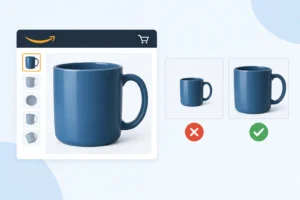
Amazon product videos can make or break a sale. They don’t just show how a product works; they build trust fast and answer questions before the customer asks. In fact, product pages with videos can increase conversion rates by up to 80%, making video one of the most powerful tools for turning viewers into buyers. Too many sellers upload videos just to tick a box, missing the chance to actually persuade. To boost conversions, you need to pick the right shots, highlight key benefits, and guide viewers toward buying. The right video, done the right way, can move your sales noticeably.
Types of Amazon Product Videos
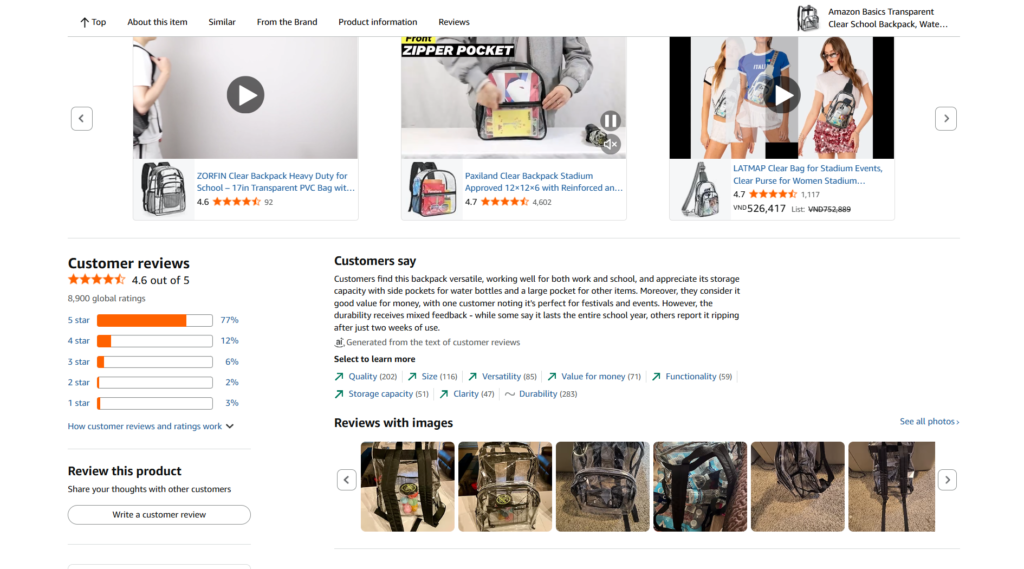
Each type serves a different purpose, depending on what the buyer needs to see before making a decision.
Demo Videos
Demo videos show the product in action. Straight to the point. Viewers want to see how it works, not just how it looks. Focus on key features, buttons, functions, and real use. A good demo answers the question: “Will this actually do what I need?” Keep the shots clean and close. Avoid over-editing. Clarity beats style here.
Lifestyle Videos
Lifestyle videos sell the feeling. Instead of focusing only on the product, show how it fits into everyday life. A coffee maker in a cozy morning routine. A backpack on a weekend trip. These videos help buyers imagine owning it. Use natural lighting, real settings, and relatable people. If it feels staged, it loses impact.
Explainer Videos
Explainer videos break things down. Ideal for products that aren’t instantly obvious. Walk through the problem first, then show how the product solves it. Use simple language. Short steps. Visual cues help, such as arrows, text overlays, and quick cuts. The goal is understanding, not impressing.
Comparison Videos
Comparison videos remove doubt. Put your product next to similar options and highlight the differences. Be honest. Show strengths, but don’t ignore limitations. Buyers appreciate transparency. Side-by-side shots work best. Keep it fair and clear so viewers can decide fast.
Key Elements of a High-Converting Amazon Product Video
A good product video doesn’t try to do everything. It focuses on what makes people stay, understand, and click.
Optimal Length
Keep it short. Around 30-60 seconds works best. Long enough to show value, short enough to hold attention. Most shoppers scroll fast, so every second needs a purpose. Cut anything that feels slow or repetitive. If the core message lands in 40 seconds, stop there.
Opening Hook
A good hook in the first 3–5 seconds decides everything. If it doesn’t grab attention, people move on. Start with the problem, not the product. Show a pain point or a quick result. Make viewers think, “This is exactly what I need.” Avoid slow intros or logo animations at the start.
Clear Messaging
Don’t make people guess. Show what the product is and why it matters. Focus on 2–3 key benefits, not a long list of features. Speak in simple terms. Instead of technical specs, show real outcomes. What problem does it solve? How does it make life easier?
High-Quality Visuals
Bad visuals kill trust instantly. Use clean lighting, steady shots, and sharp resolution (at least HD). Show details clearly, textures, buttons, and size. Mix close-ups with real usage. You don’t need a big budget, but it has to look intentional and polished.
Strong Call-to-Action (CTA)
Don’t assume viewers will take the next step. Tell them what to do. A simple “Add to Cart” or “Buy Now” works. Place it at the end, or even mid-video if it fits. Keep it natural, not pushy. The goal is to guide, not pressure.
Technical Optimization for Amazon Videos

Even a strong video won’t perform if the technical side is off. Clean specs help your video load fast, look sharp, and rank better.
File Format & Size
Start with the basics. MP4 is still the most reliable format on Amazon. It uploads smoothly and plays well across devices. Keep your file under 500MB to avoid slow loading or playback issues. If the video is too heavy, users drop before it even starts.
Resolution
Quality is non-negotiable. Use at least 1080p HD so your product looks sharp and trustworthy. Blurry visuals or low resolution instantly make the listing feel cheap. If details matter, and they usually do, make sure they’re clearly visible.
Thumbnail Optimization
Your thumbnail works like a first impression. It needs to be clear and scroll-stopping:
- Show the product clearly
- Use bright, high-contrast visuals
- Highlight one key benefit
- Keep the frame clean and focused
Video SEO
Once the video looks good, make sure people can find it. Add your main keyword naturally into the title and description. Don’t overthink it, just match how real buyers search. Clear, relevant keywords help your video show up in the right results.
Tips to Boost Conversion with Product Videos
Most Product Videos look polished but don’t convert. The problem isn’t quality—it’s direction. If the video doesn’t guide the viewer toward a decision, it gets ignored. Strong Product Videos stay focused. Every scene either explains, proves, or builds trust.
Highlight Unique Selling Points (USPs)
If your product blends in, it loses. Viewers don’t spend time figuring out what makes it better; you have to show it fast. Bring your USPs upfront. Don’t wait until the middle. Focus on 1- 2 strong advantages instead of listing everything.
If your product saves time, show the before and after. If it’s more durable, show a real test. Clear proof beats claims every time. The more concrete your USP, the easier it is for buyers to justify the purchase.
Use Storytelling
Features alone won’t hold attention. Context will. Build a simple flow: problem first, solution next. Keep it close to real life so viewers can relate. A small, familiar situation is enough. When people see themselves in the story, they stay longer, and that gives your Product Videos more time to convert.
Show Social Proof
People trust other buyers more than brands. Use that. Add short review snippets, star ratings, or quick clips from real users. One strong testimonial can reduce hesitation. If your product has awards or certifications, include them, but keep it clean. Don’t overload the screen. The goal is to reassure, not distract. Well-placed social proof makes your Product Videos feel more credible without trying too hard.
Test Multiple Videos
Test different approaches, opening hooks, pacing, or angles. For example, one video can lead with a problem, another with a result. Track performance and keep what works. Over time, your Product Videos improve because you’re adjusting based on real data.
Mobile Optimization
Most Product Videos are watched on mobile. If it’s hard to follow on a small screen, it won’t convert. Keep visuals tight and easy to read. Use large text, clear framing, and fast pacing. Avoid wide shots with too much detail. Formats like square or vertical often perform better because they fill more of the screen.
Conclusion
Optimizing Amazon Product Videos is about making things easier for the buyer. When the video is clear, direct, and feels real, people don’t have to think too much; they just get it. That’s what drives action. A good video doesn’t try to show everything or be overly polished. It just answers the right questions at the right time. When you keep that mindset, your Product Videos naturally become more effective without forcing it.
1. How long should Amazon Product Videos be?
People don’t have a lot of time to spare when they are browsing, so 30 to 60 seconds is a good amount of time. They’ll skip if the video seems slow or drags. Get to the point quickly and cut out anything that doesn’t add value.
2. Do Product Videos really increase conversion?
Yes, but only if they’re done right. A clear, well-organised video helps people understand the product faster and makes them trust it more. If the video is hard to understand, too long, or of poor quality, it can actually hurt conversion instead of helping it.
3. Do I need professional equipment to make Product Videos?
Not necessarily. A smartphone with good lighting and stable shots is often enough. What matters more is clarity, people need to see and understand the product without distractions.