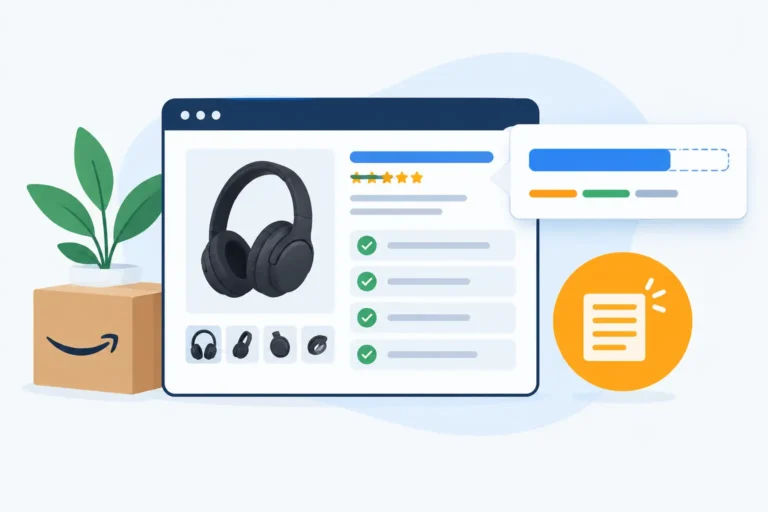
On Amazon, shoppers move quickly. Most of them scroll through search results without stopping, unless something immediately catches their eye. That’s where Sponsored Brands Video ads come in. A short, well-made video can pause that scroll and pull attention to your product in seconds. But not every video works. Some get ignored, while others drive strong clicks and sales. The difference often comes down to how the creative is designed.
What Are Amazon Sponsored Brands Video
Amazon Sponsored Brands Video are short product videos that show up directly in search results. Instead of a static image, shoppers see a short video that shows what the product looks like or how it works. This format helps brands catch attention quickly while people are actively searching for something to buy.
For brands selling on Amazon, this type of ad helps connect product discovery with a better understanding of the product. Shoppers get a quick look at what the product does, which can make them more likely to click and check out the listing.
Research from Amazon shows that Sponsored Brands Video ads can generate up to 25% higher click-through rates compared with static ads, highlighting how motion and product demonstrations capture shopper attention more effectively.
How Sponsored Brands Video Work
Sponsored Brands Video ads appear directly inside Amazon search results when a shopper searches for a related keyword.
The video autoplays as users scroll through the results page. It usually starts without sound and focuses on visual storytelling. Because the motion naturally catches the eye, many shoppers pause for a moment to see what the product does.
When someone clicks the video, they are taken directly to the product page. From that point, users can dig deeper, check out reviews, and finalize their purchase. This direct route streamlines the process, minimizing the gap between finding something and actually buying it.
Where Sponsored Brands Video Appears
Sponsored Brands Video ads show up in several places across Amazon’s search environment.
One of the most common placements is in mobile search results. Since many shoppers browse Amazon on their phones, these videos often appear while users scroll through product listings.
They also appear in desktop search results, positioned between regular product listings. The video preview plays automatically, which helps it stand out on a page filled with static images.
Amazon sometimes places these videos in related product sections as well. This allows brands to reach shoppers who are already comparing similar products and may still be deciding what to buy.
Amazon Sponsored Brands Video Specifications
Before running a video campaign on Amazon, it’s important to understand the platform’s creative requirements. Amazon keeps the rules fairly straightforward, but following them
Recommended Video Length
Most effective Sponsored Brands videos stay between 15 and 30 seconds. This length works well because Amazon shoppers move quickly through search results. Long videos often lose attention before the message lands.
Present a single, compelling concept. Introduce the product promptly and illustrate its capacity to address a particular issue. Concise, straightforward video segments generally yield superior results compared to those overloaded with excessive information.
A practical structure many brands use:
- First 2-3 seconds: show the product immediately
- Next 10-20 seconds: demonstrate the main benefit
- Final seconds: reinforce the product use or result
Video Format Requirements
A common approach for many brands is as follows: The first two to three seconds should immediately showcase the product. The next ten to twenty seconds are devoted to demonstrating the primary benefit. Finally, the last few seconds should reinforce either the product’s use or the result it delivers.
Regarding video format, Amazon has specific technical standards for Sponsored Brands Video ads. Adhering to these standards helps ensure the video displays correctly on all devices.
Some typical requirements include: An aspect ratio of either 16:9 or 1:1. A minimum resolution of 720p for clear playback. File formats accepted are MP4 or MOV. Video length is usually up to 45 seconds, although shorter videos are generally preferred.
Keeping the video lightweight and visually appealing aids in quick loading times on both mobile and desktop platforms.
Amazon Creative Guidelines
Amazon reviews every video before approving it for ads. The platform expects content to be accurate and easy for shoppers to understand.
Your creative should adhere to some fundamental guidelines:
- The product featured must accurately represent what you’re selling.
- Exaggerated or misleading claims are a definite no-no.
- Keep the messaging clear and centered on the product itself.
- Comply with all Amazon Ads advertising policies.
Simple, honest videos tend to get approved more quickly and foster greater trust with potential buyers. When the creative is clear and direct, viewers spend less time deciphering it and more time considering if the product meets their needs.
Best Practices for Amazon Sponsored Brands Video Creatives
Video ads in Amazon search results need to work fast. Shoppers scroll through dozens of products in seconds, so the video has a very small window to grab attention and show why the product matters.
The creative doesn’t need to be complex. What usually works better is a clear structure: catch attention early, show the product in action, and communicate the main benefit quickly. The practices below focus on simple ways brands structure their Sponsored Brands Video creatives to make them easier to watch, and more likely to earn clicks.
Capture Attention in the First 3 Seconds
The beginning of the video decides whether someone keeps watching or scrolls past. If the first frame looks slow or unclear, most shoppers will ignore it.
Start with a strong visual. Show the product right away, or set up a scenario the viewer immediately understands. The aim is to get them to stop scrolling. A quick comparison, like a before-and-after shot or a problem being fixed, is often effective because it gives the viewer instant context.
Focus on One Key Product Benefit
Many videos try to highlight every feature at once. That approach usually weakens the message. Instead, focus on one main benefit that matters most to buyers. When the message is simple, viewers process it faster. If your product boasts several perks, pick the one that’s simplest to show off.
Show the Product in Use
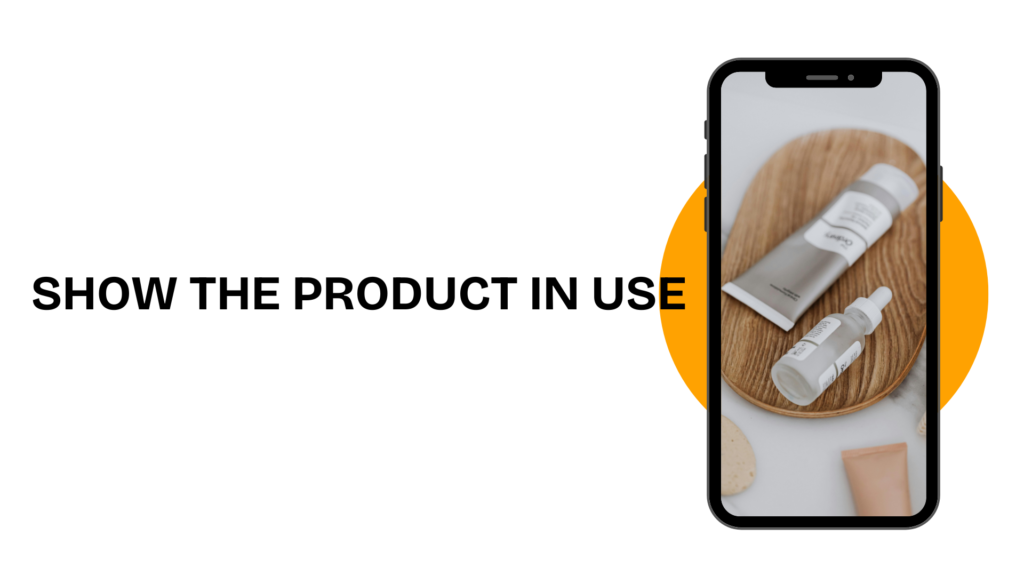
Demonstration footage helps viewers understand the product without needing a long explanation. When people see the product in action, they quickly grasp how it fits into their daily routine.
For example, a kitchen tool works better when shown during actual food prep, while a skincare product becomes clearer when applied as part of a routine. These real situations make the product feel practical and believable.
Use Text Overlays
Most people browse Amazon with the sound off. Text overlays help deliver the main message even when audio isn’t playing.
Good overlays stay short and easy to read. A few words highlighting the key benefit are usually enough. The text should support the visuals rather than compete with them.
Keep the Visuals Simple
Cluttered backgrounds and fast scene changes can distract from the product. Simple visuals make the message easier to process.
Clean backgrounds, stable shots, and good lighting make it easy for people to see what’s happening.
Add a Clear Call-to-Action
The last few moments should point the viewer in the right direction. A brief call-to-action nudges potential customers to click and find out more. Simple prompts like “Shop Now” or “Discover More” are effective. Positioning this message toward the video’s conclusion helps turn interest into clicks while the viewer’s engaged.
Conclusion
On Amazon, Sponsored Brands Video ads work best when the message is simple and clear. Shoppers scroll quickly, so the video needs to show the product and its value right away. When the creative is focused, easy to understand, and practical, it becomes easier to turn a quick view into a click and eventually a purchase.
1. How long should an Amazon Sponsored Brands Video be?
Most Sponsored Brands Video ads work best when they are between 15 and 30 seconds.
2. Do Sponsored Brands Video ads play automatically?
Yes. These videos autoplay in Amazon search results as shoppers scroll through the page. They usually start without sound, so clear visuals and short text overlays are important.
3. What makes a Sponsored Brands Video ad effective?
An effective video usually shows the product within the first few seconds, focuses on one main benefit, and keeps the visuals simple. A clear call-to-action at the end can also help encourage clicks.